
Stop your phone addiction. And stayput.
Download Stayput
for Android.
Block distracting apps and keep your essentials. Install Stayput with an APK, the Android app file you open on your phone.

Android 8.0 or newer · Development preview
main-build-7 · 2.3 MB
This button downloads build main-build-7 directly from GitHub.
All releases and build details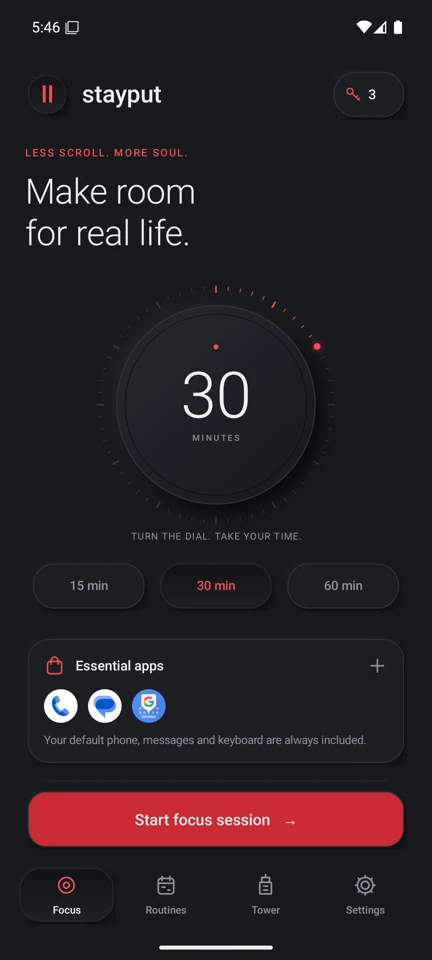
From APK to a little breathing room.
Install Stayput
in four steps.
Stayput is a development preview distributed through GitHub. Installation happens on your Android phone.
Full setup guideDownload the APK
Tap Download APK above to get Stayput.apk. On a computer? Transfer the file to your Android phone first.
Open and install the file
Open the APK from your browser’s downloads or Files app. If Android asks, open Settings and enable Allow from this source for that browser or file manager. Return and tap Install. You can turn that permission off afterward.
Enable app blocking
Open Stayput and follow setup to enable Stayput · App blocking in Android Accessibility settings.
Android says “Restricted setting”?
For an app you trust, open Android App info → Stayput → menu → Allow restricted settings, then return to Accessibility. Labels vary by phone. Read Android’s guidance.
Start your first session
Enable Display over other apps for the floating timer. Choose your essential apps, set a duration, and start your session.
Back to download